Track Tennis Strokes on Apple Watch and Galaxy Watch
When to restring is decided by usage, not by the date. Within the same month, someone who plays once a week and someone who plays four times a week spend four times as long on court. The calendar moves at the same pace while the load on the string does not.
String GOAT started out the same way: a stringing date plus a cycle in days. I string my own racquets too, so I kept running into where that basis breaks down. A heavy week and a week I barely played produced the same reminder on the same day.
Moving the basis from dates to usage was the obvious fix, and that is exactly where it stalled. Play time turns from data into memory the moment you finish a session and estimate "about two and a half hours today". Stroke count cannot be tallied at all. I was building an app for string records with no way to record how much work the string had actually done.
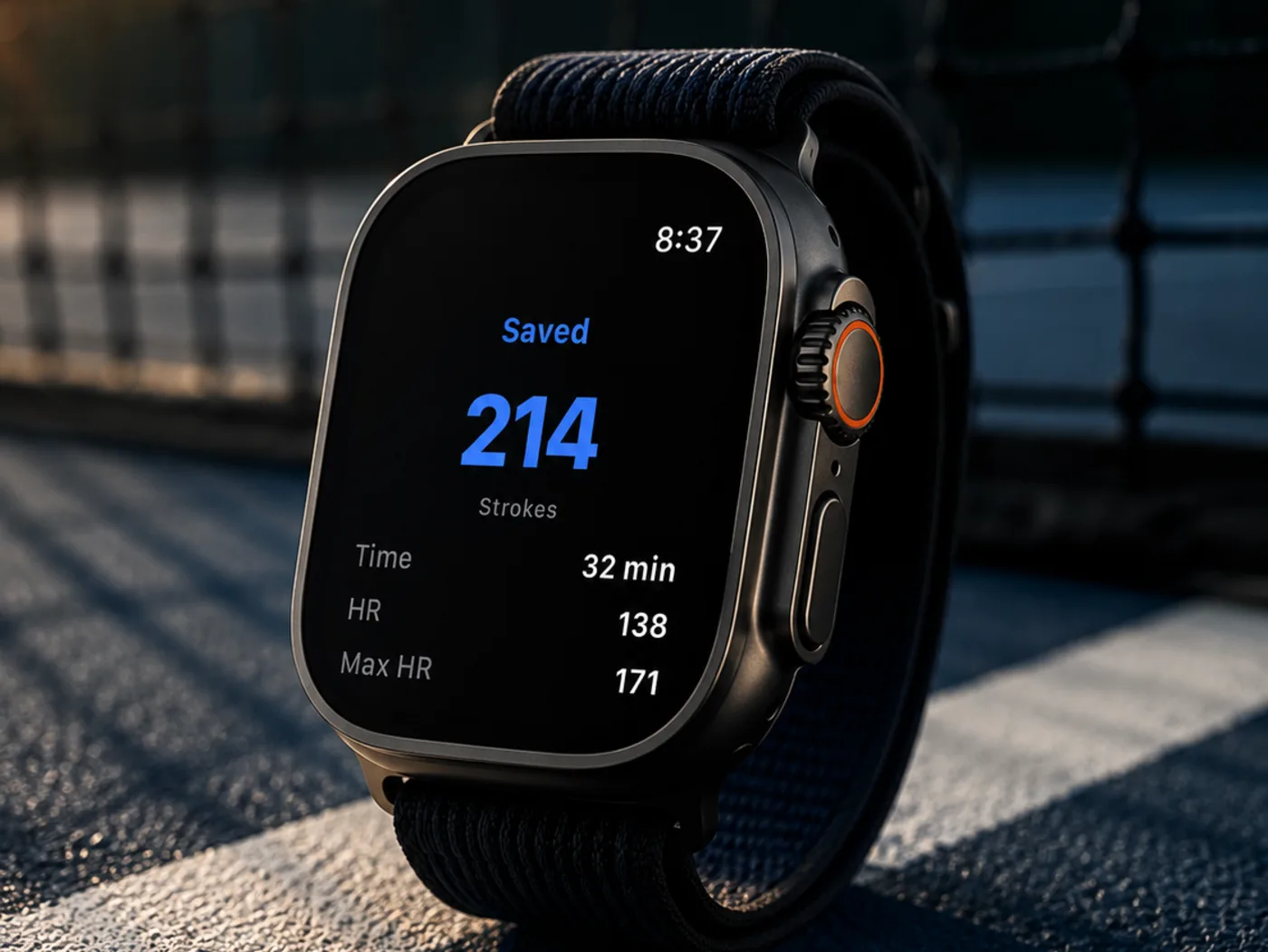
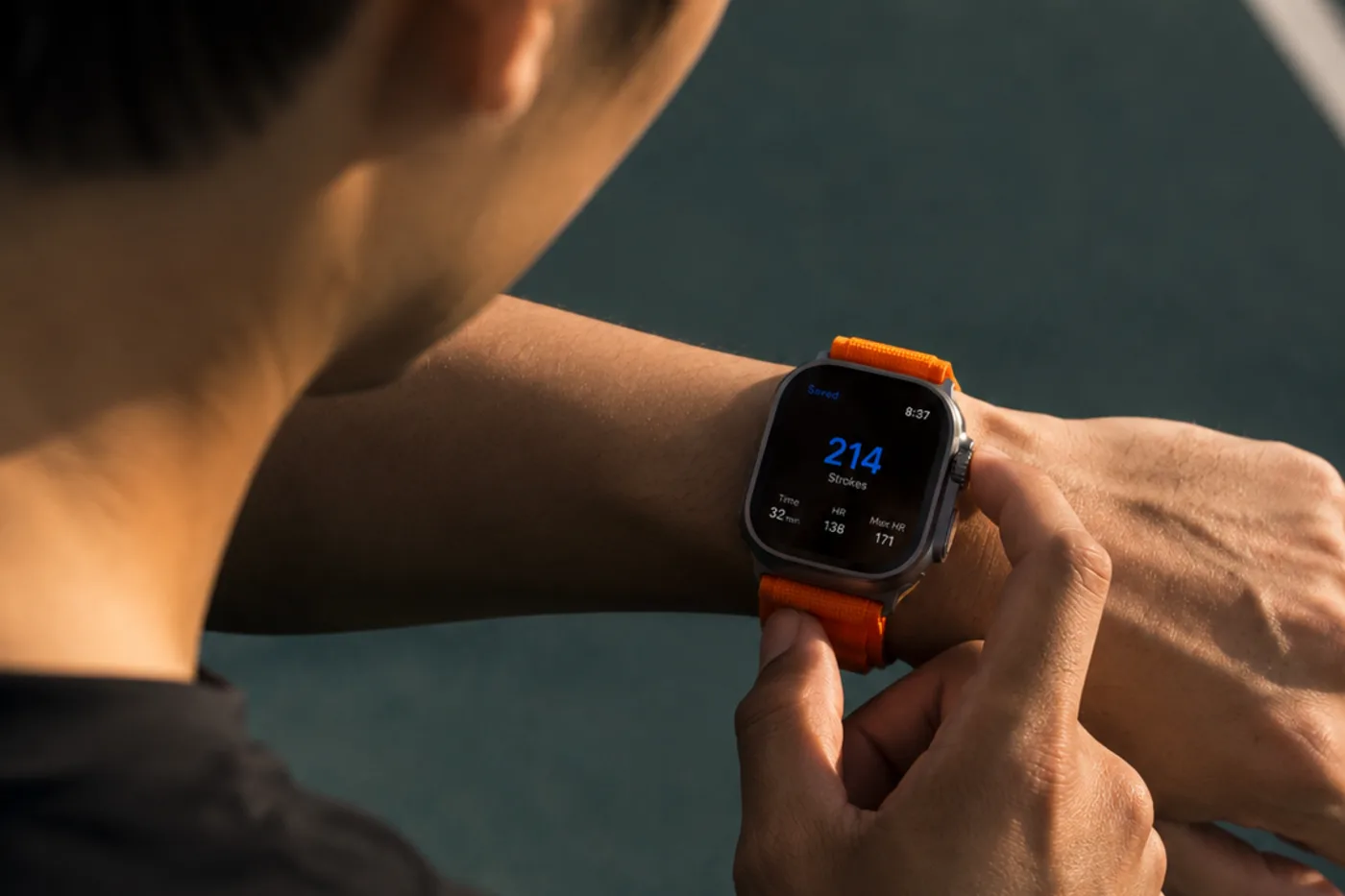
The watch app exists to close that gap. Start a session on Apple Watch or Galaxy Watch and it records strokes and play time, and that record feeds the restring decision.
Building it meant getting past one constraint. On a tennis court players normally wear the watch on the wrist that is not holding the racquet, because on the racquet hand it gets in the way of the grip and takes the impact directly. For counting strokes, that habit works against you: the shock of ball contact shows up most clearly in the arm holding the racquet and arrives far weaker in the other one. So wrist-sensor stroke counting usually starts from the premise "wear the watch on your racquet hand".
String GOAT chose not to change that premise. Wear the watch where you already wear it, on the non-racquet wrist.
This article is for players who string their own racquets or manage their own replacement cycle. It covers how the detection works, how accurate it actually is, and how the record feeds a restringing decision.
Key takeaways
Supported devices — watchOS 9.0 or later (Apple Watch Series 4 and newer) and Wear OS 3.0 or later, including Galaxy Watch. Works together with the paired phone app.
Where to wear it — the wrist that is not holding the racquet.
What gets recorded — strokes, play time, heart rate, calories, and outdoor GPS route.
Accuracy — shadow swings and walking are not counted. Across groundstrokes overall it lands at roughly three quarters, and one-handed backhands are undercounted.
What it is for — accumulated play time is compared against a lifespan reference per string type, so reminders follow actual usage rather than the calendar.
Reading strokes from a weak signal
The trace does reach the other arm. It is simply faint. What that calls for is not a stronger signal but a model trained to read a weak one.
Stroke detection assumes movement of the arm that is not holding the racket.
String GOAT applies the Silent Impact model published by a KAIST research team, built to identify impacts from motion in the arm that is not holding the racquet. It was presented at UIST 2024, the ACM Symposium on User Interface Software and Technology (Park, Yang, Jo), and released under CC BY 4.0, which permits commercial use with attribution. String GOAT credits it on the app's open source license screen. The paper is in the ACM Digital Library.
The analysis runs on the phone, not the watch. The watch collects sensor data and sends it over; the phone feeds it through the model. Because that happens entirely on the device, patchy court reception does not affect detection.
Start free with String GOAT
As your records build up, AI picks your next string setup
Pick a racquet, start a session in the watch app, and the following accumulate until you end it.
What a single session records
Item
Detail
Strokes
Number of detected impacts
Play time
From session start to finish
Heart rate
Average, maximum, and time in zones
Calories
From the watch's health data
Distance and route
Outdoor sessions with GPS enabled
Supported devices are watchOS 9.0 or later (Apple Watch Series 4 and newer) and Wear OS 3.0 or later, including Galaxy Watch. The watch app works together with the String GOAT app on the paired phone, so the phone app is required.
How accurate is it
A stroke count invites the question "is that right?" the moment it appears on screen. The figures below are what we measured in our own app, not the performance reported in the paper — the same model behaves differently once the watch hardware and the processing around it change.
Start with what holds up. Swinging the racquet without a ball is not counted. In indoor testing, 30 shadow swings registered as 0, and so did walking and standing still. The model detects ball contact rather than the swing itself, so the number does not climb while carrying a racquet around the court or picking up balls. In a forehand-focused test the count came out nearly identical to the number of balls hit.
Where it falls short.
Across groundstrokes (forehands and backhands struck after the bounce from the baseline) it lands at roughly three quarters. The count can be lower than what was actually hit.
One-handed backhands are undercounted the most. The training data behind the model appears to have contained very few one-handed backhand players.
Fast volleys can be missed. Shots that follow each other closely get merged into one.
Stroke types are not classified. There is no forehand, backhand, or volley breakdown.
So this is not an umpire's exact count. It is closer to a workload figure you compare between sessions. Good enough for seeing whether today was heavier than last week, or how much this string has taken so far. Not a number to use at face value.
How the accumulated record drives the reminder
That raises a fair question: if the count is not exact, how can it decide anything? What actually drives the reminder is play time, not stroke count. Time is taken from the start and end of the session, so it is measured rather than estimated.
Once a session is saved, play time accumulates per racquet. String GOAT compares that accumulated time against a lifespan reference for the string type. Polyester, multifilament, and natural gut hold up for different lengths of time, so each type carries its own reference. Those values are industry rules of thumb rather than measured results, so treat them as a starting point — your own accumulated records eventually replace them. That a string can lose its performance well before it breaks is something Tennis Warehouse University's testing documents as well.
What changes is not when the reminder arrives but what it is based on. Instead of "a month since it was strung", the basis becomes "how many hours this string has actually taken". Someone playing once a month and someone playing four times a week no longer get the same reminder on the same day.
Stroke count accumulates per racquet too. Set beside play time, it separates a string that took a lot of contact from one that saw the same hours with far fewer balls.
Combine it with tension measurements and the call gets sharper
Hours and strokes alone already beat the calendar. But they still only describe how much the string has been used, not what condition it is in right now.
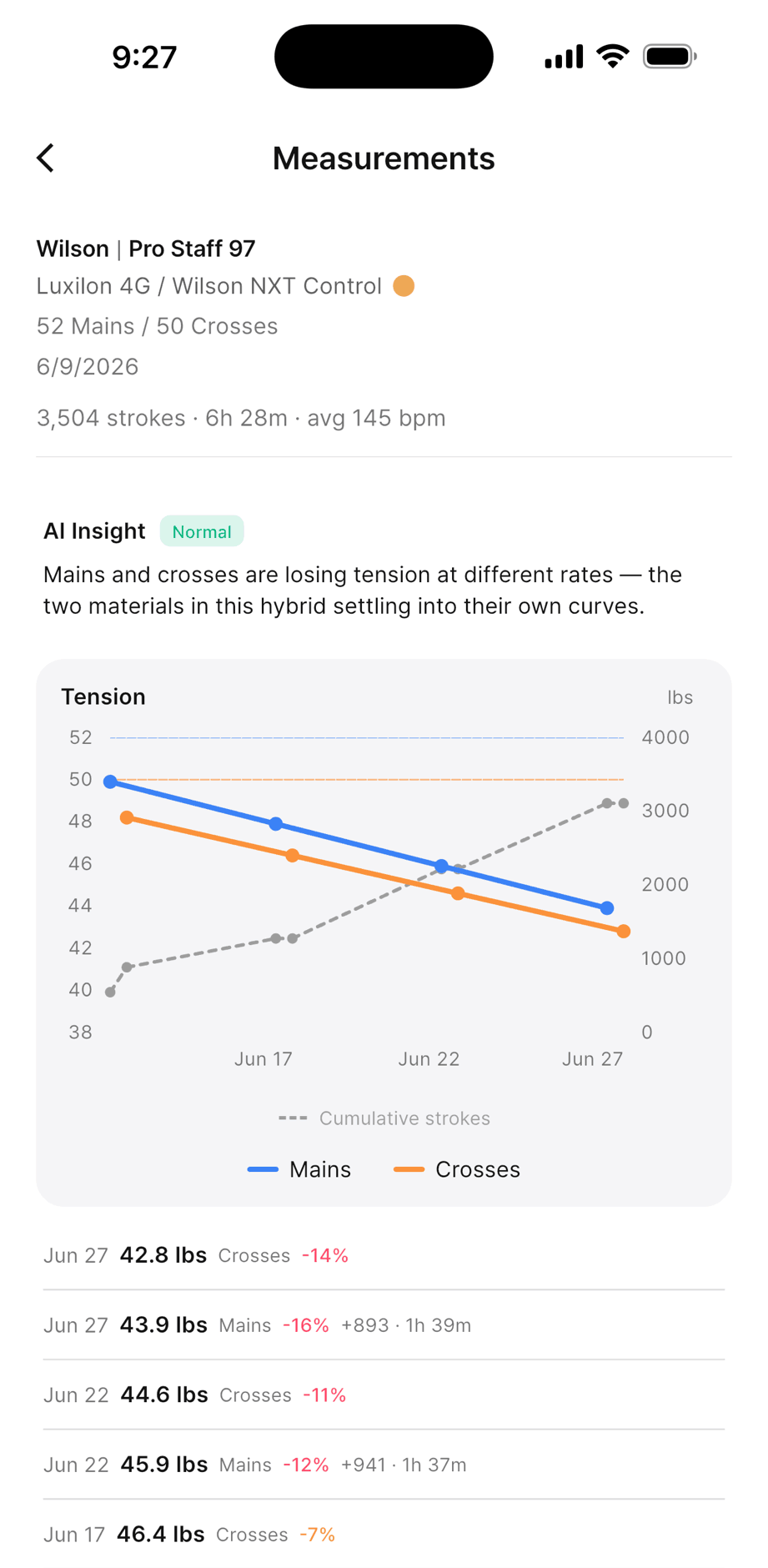
There is a separate number for condition: the tension right after stringing, and the DT (dynamic tension, or stringbed stiffness) measured afterwards. Enter an initial DT when you register the string and it becomes the baseline; every later measurement adds another point.
Watch data adds a second axis to that. Instead of asking how far tension dropped in how many days, you get to ask how far it dropped across how many balls struck. The watch supplies the count between any two measurements.
Once points accumulate, String GOAT extends that trajectory to estimate when it will reach the threshold. The threshold is a loss rate against the baseline plus a subjective score, and the output is a projected restring date or the number of strokes left. Whenever tension measurements exist, this method is used automatically — which signal decides is a matter of what data is available, not a setting.
Stroke count, play time, and tension measurements combining on a single screen, as it actually looks.
After three or more restrings, it goes one step further. It looks back at the loss rate and feel score at the moments you actually chose to restring, and uses your own threshold instead of the standard one. At the same drop in tension, one player keeps going and another swaps out.
The basis for the decision moves like this.
Levels of evidence behind a restring decision
Level
Basis
What it needs
Date
Days since it was strung
The stringing date
Usage
Hours played and balls struck
+ watch sessions
Condition
How far tension fell as strokes accumulated
+ initial tension and DT measurements
Your own threshold
Where you personally decide to swap
+ three or more past restrings
Each level down is sharper, and each asks for more input. This table is not a feature list so much as the order I actually went through. Working down it one row at a time, the thing that blocked me was never "the basis is wrong" — it was "there is no data to put into that basis". The watch is what fills in the middle two automatically.
From the watch to the app, and to the web
When a session ends the watch sends its data to the phone. Analysis and saving happen on the phone. Saved sessions appear in both the phone app and the web dashboard.
Court networks are often unreliable. Sessions that fail to send or save stay on the device and retry automatically the next time the app opens. If a finished session does not show up right away, open the phone app once.
Getting started
Watch tracking is most useful from the moment a string goes in, because accumulated play time only starts once the new string is registered.
Sign in on the phone app first — the watch app works together with the paired phone app
Wear the watch on the non-racquet wrist — stroke detection assumes that placement
Start a session on the watch — outdoors, leaving GPS on also records the route
Open the phone app after ending the session — analysis and saving happen there
Review it with the string record — accumulated play time feeds the restring decision
On the free plan you can view the details of 8 sessions per month. Beyond that they stay in the list, and subscribing opens the earlier ones as well.
String GOAT is free to start.
Start free with String GOAT
As your records build up, AI picks your next string setup